Documents
A shared library of PDF SOPs — organised in folders in the portal, read in the field on the Archer app, available offline.
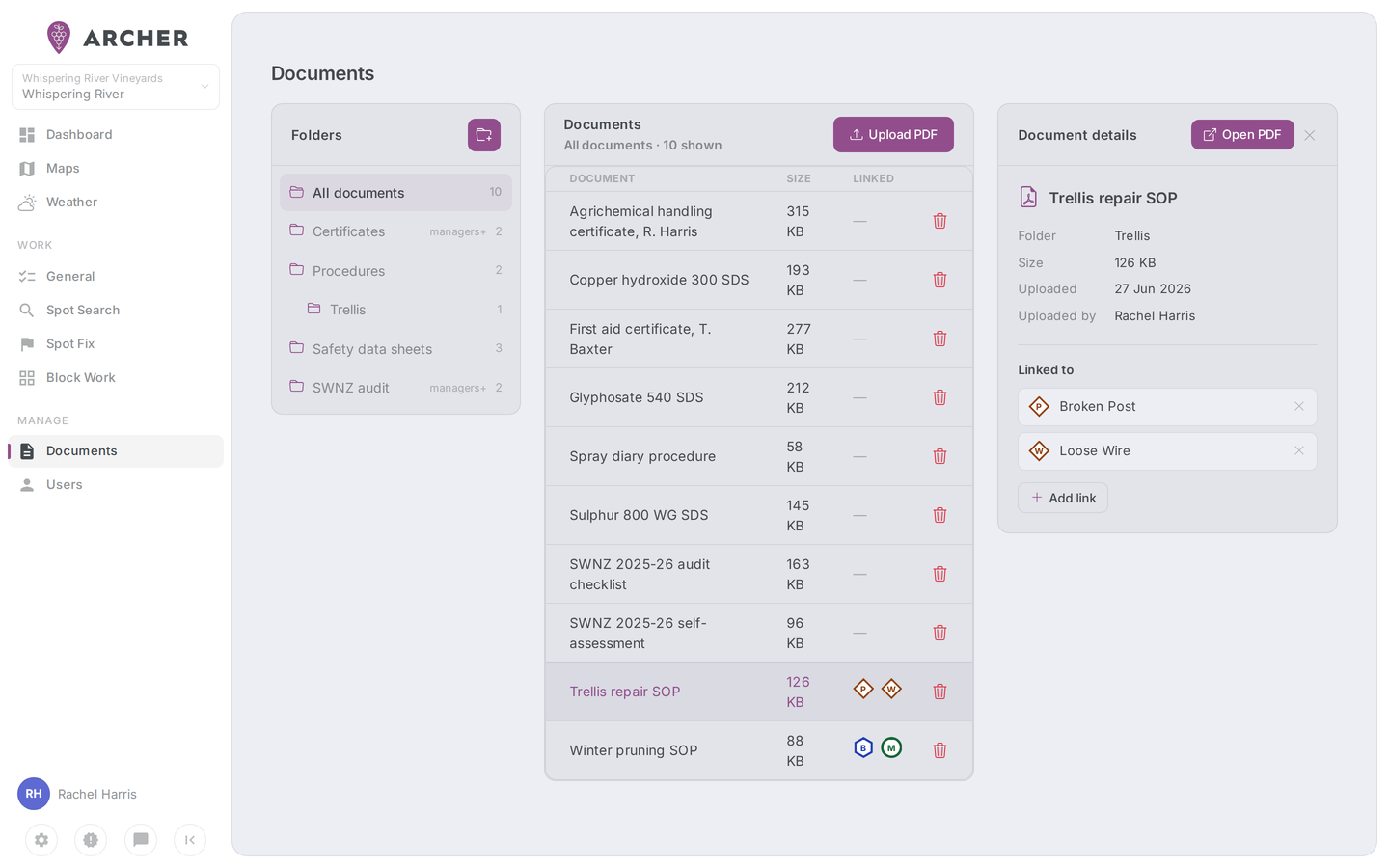
The Documents library is your management group's shared collection of PDF documents — spray SOPs, machinery checklists, safety procedures, anything the team needs to read in the field. Managers build the library in the portal; everyone reads it in the Archer app, including offline once a document has been opened.
How it works
- Managed in the portal — Admin and Manager users get a Documents page under Manage, where they create folders, upload PDFs, and control who can see what. See Managing documents.
- Read in the app — every signed-in user has a Documents entry in the app menu (☰). It's a simple folder browser: drill into a folder, tap a PDF, read it. See Documents in the field.
- Offline — the folder structure syncs to the phone, so you can browse the library with no signal. The first time you open a document it downloads and is cached on the device; after that it opens instantly, connected or not.
Folders and visibility
Documents live in folders, and each folder has an audience — who in the organisation can see it and the documents inside:
- Everyone
- Members and above
- Managers and above
- Admins only
A document doesn't have its own audience — it inherits its folder's. Folders can be nested, and nesting only ever narrows visibility: a folder inside an "Admins only" folder is effectively admins-only, whatever its own setting says. The portal shows the effective visibility next to each folder in the tree.
Uploads are PDF only, one file at a time, up to 25 MB each.
Linking documents (Enterprise)
On the Enterprise plan, documents can also be linked to trouble-spot types, feature types, and specific features — and attached to work orders. When a manager creates a Spot Fix or General work order in the portal, any documents linked to the relevant types are attached automatically, and field users see them right on the work order in the app.
The library itself — folders, uploads, visibility, and reading in the app — is available on every plan; only linking and attaching is Enterprise. On other plans the portal shows: "Linking documents to trouble spots, features and work orders is available on Archer Enterprise."
Pages in this section
- Managing documents — portal: folders, uploads, visibility, and linking
- Documents in the field — mobile: browsing, reading, and offline behaviour