Work Orders
Turning a Spot Search into a Spot Fix
How to convert the results of a Spot Search into a Spot Fix work order from the portal.
Platform: Portal
A Spot Search finds problems; a Spot Fix resolves them. Once a sweep has landed its finds as trouble spots, you can convert the results into fixing work in one click.
How
- Open the Spot Search's detail page: WORK → Spot Search, then click the search.
- Its header shows a Create Spot Fix from results button — shown for any search, since every search hunts a specific trouble-spot type.
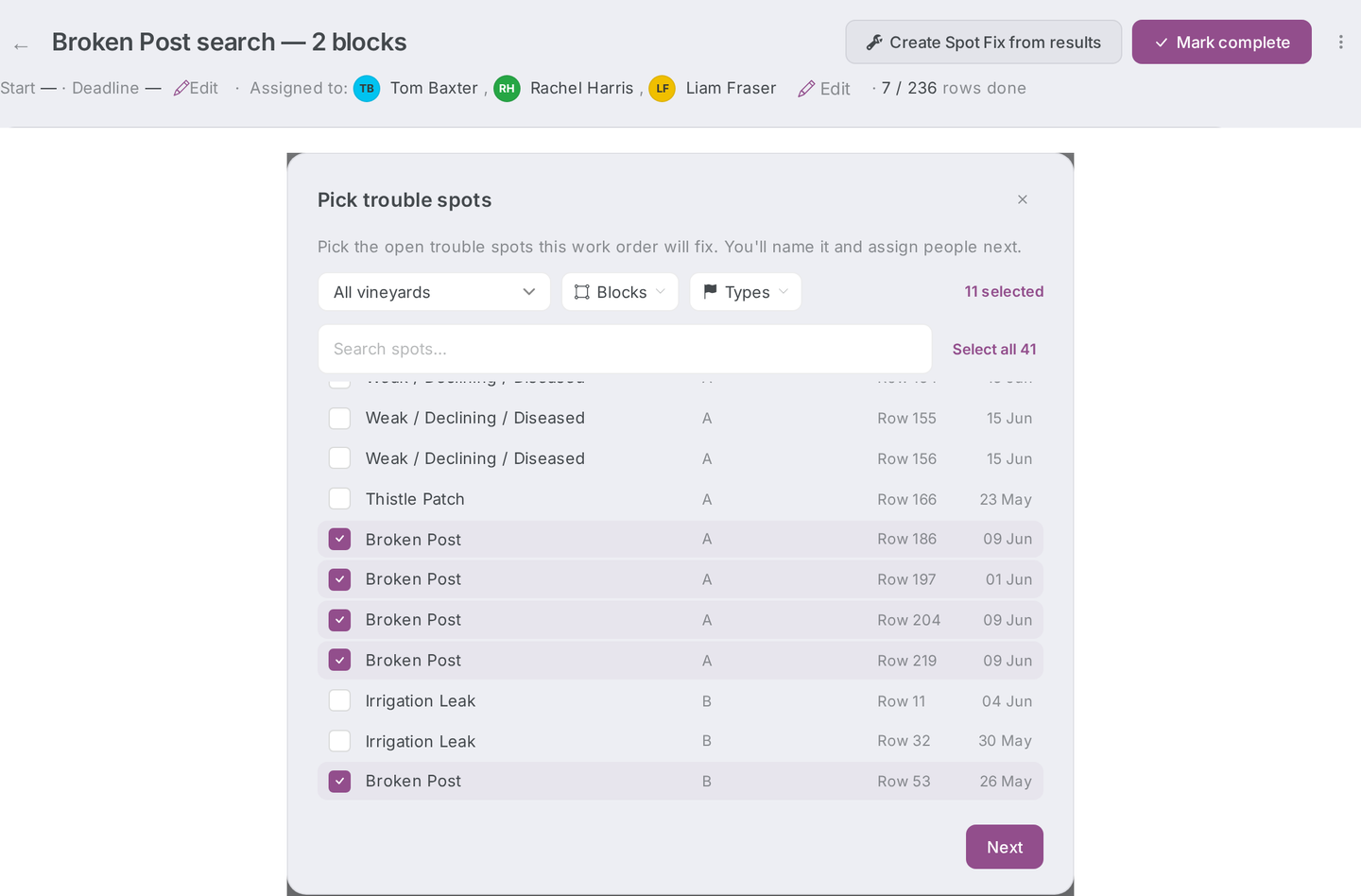
- Click it. The normal Spot Fix create wizard opens prefilled:
- Every currently-unresolved trouble spot of the searched type is preselected — including spots reported before the search ever ran. Old unresolved spots of the type join the fix, which is the point.
- The selection is scoped to the searched blocks when the search declared blocks; otherwise it matches on the type across the whole organisation.
- The name is prefilled "Fix — {search name}".
- Everything stays editable: deselect spots, rename it, set dates — and the Assign people step still runs, including per-step pickers if the spot type carries a resolution process (see Creating a work order).
Notes
- This is a prefill, not an instant create — nothing exists until you click Create work order.
- You don't have to wait for the search to finish. The button is there throughout, so you can spin up fixing work while the sweep is still going.
Related
- Work order types — Spot Fix vs Spot Search
- Working a work order — how the field team works the resulting fix