What's new
Read the latest Archer release notes from inside the app and the portal.
Platform: Mobile and portal
Archer publishes release notes so you can see what's changed without leaving the product. The same notes appear in two places — a read-only What's New screen in the mobile app and a What's New page in the portal — both grouped by month, newest first.
In the mobile app
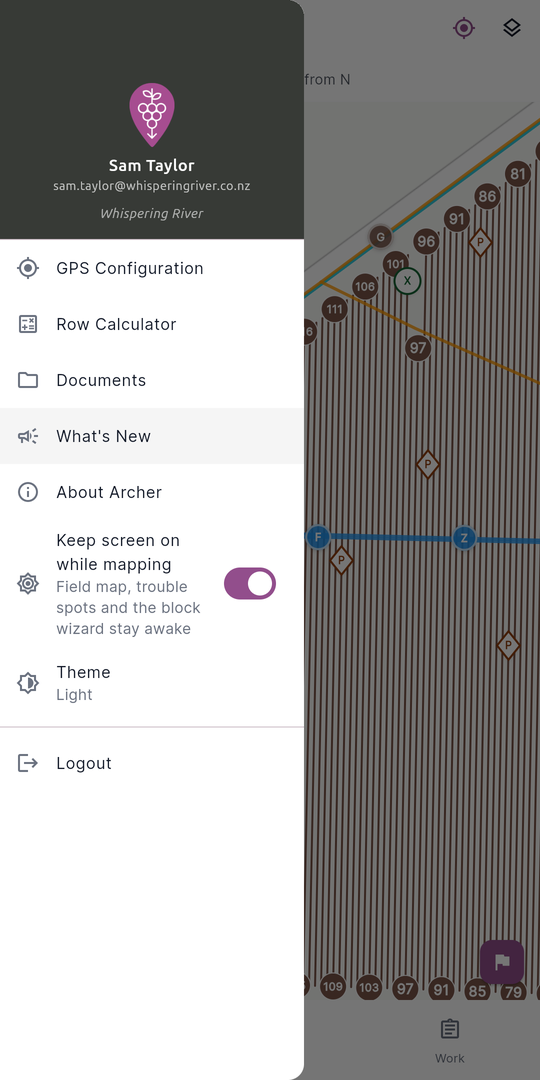
- Open the menu (drawer) from the top of any screen.
- Tap What's New (the megaphone icon).
The screen lists published notes grouped under a month-and-year heading (for example, May 2026). Each note is a card showing:
- A version chip (for example,
v2.4.1). - A category with an icon — ✨ Feature, 🔧 Fix, ⚡ Improvement, or ⚠️ Breaking.
- The release date.
- A title and a short body describing the change.
Pull down to refresh the list. If nothing has been published yet, you'll see a "No release notes yet" message.
In the portal
- Click the What's New icon in the sidebar (hover to see the tooltip).
- The page opens at
/whats-new. Any logged-in user can view it.
As on mobile, notes are grouped by month. Each card shows the version tag, the platform(s) the note applies to, the release date, the title, and the body.
One note, formatted in both places
Both the portal and the app render release notes formatted. The portal renders full Markdown, while the app renders the release-note dialect the notes are written in — section headings, bullet lists, and bold — so the same note reads formatted in both places. Anything outside that dialect shows as plain text in the app.